
Manage your own sign-in methods
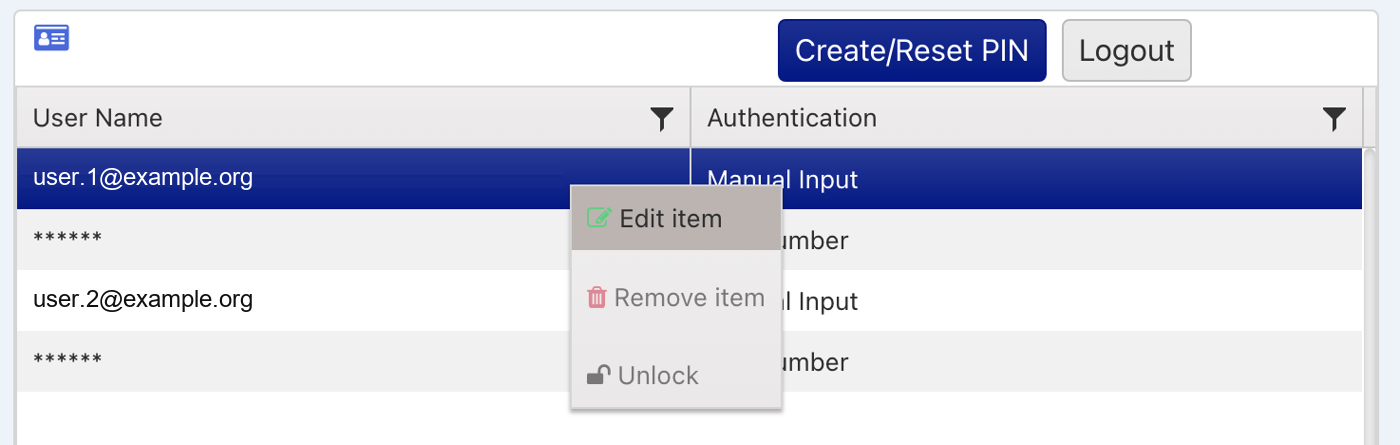
The sign-in methods on your own account are shown on the Home page, where you can edit them and create or reset your PIN.
A Company Admin can enable additional sign-in methods for you from the Users page. Once a method is enabled, you can edit it yourself. See Edit a user’s sign-in methods and PIN.
Edit a sign-in method
Use these steps to edit a method, for example to change your password.
- Open Home. Go to the Home page.
- Open the method. In the authentication methods panel, double-click the method, or right-click it and select Edit item.
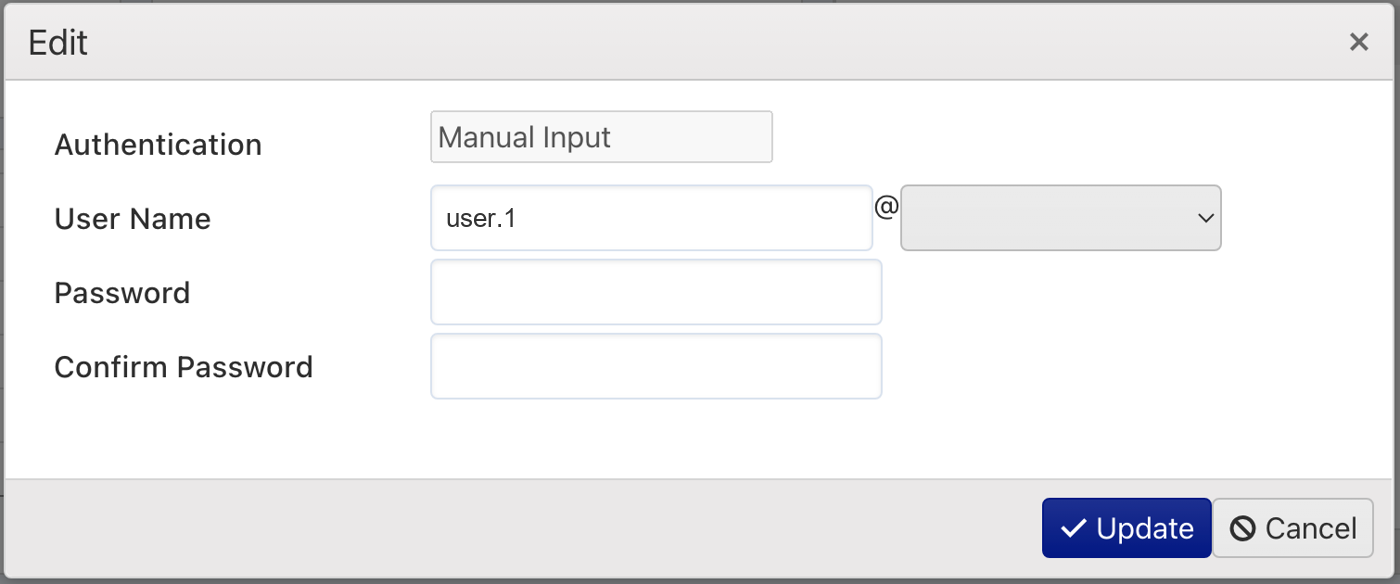
- Make your changes. The Edit window opens. The fields and options depend on the type of sign-in method. Enter or change the information you need.
- Save. Click Update to save your changes.
Create or reset your PIN
Click Create/Reset PIN on the Home page to add a PIN as a sign-in method. If a PIN is already listed as one of your methods, the same button generates a new PIN.
Your new PIN is shown in a pop-up.
Note your PIN first. Copy or make a note of the PIN before you close the pop-up.