
Company
The Company page holds the details and settings for your organisation (your tenant). The exact settings available depend on your role.
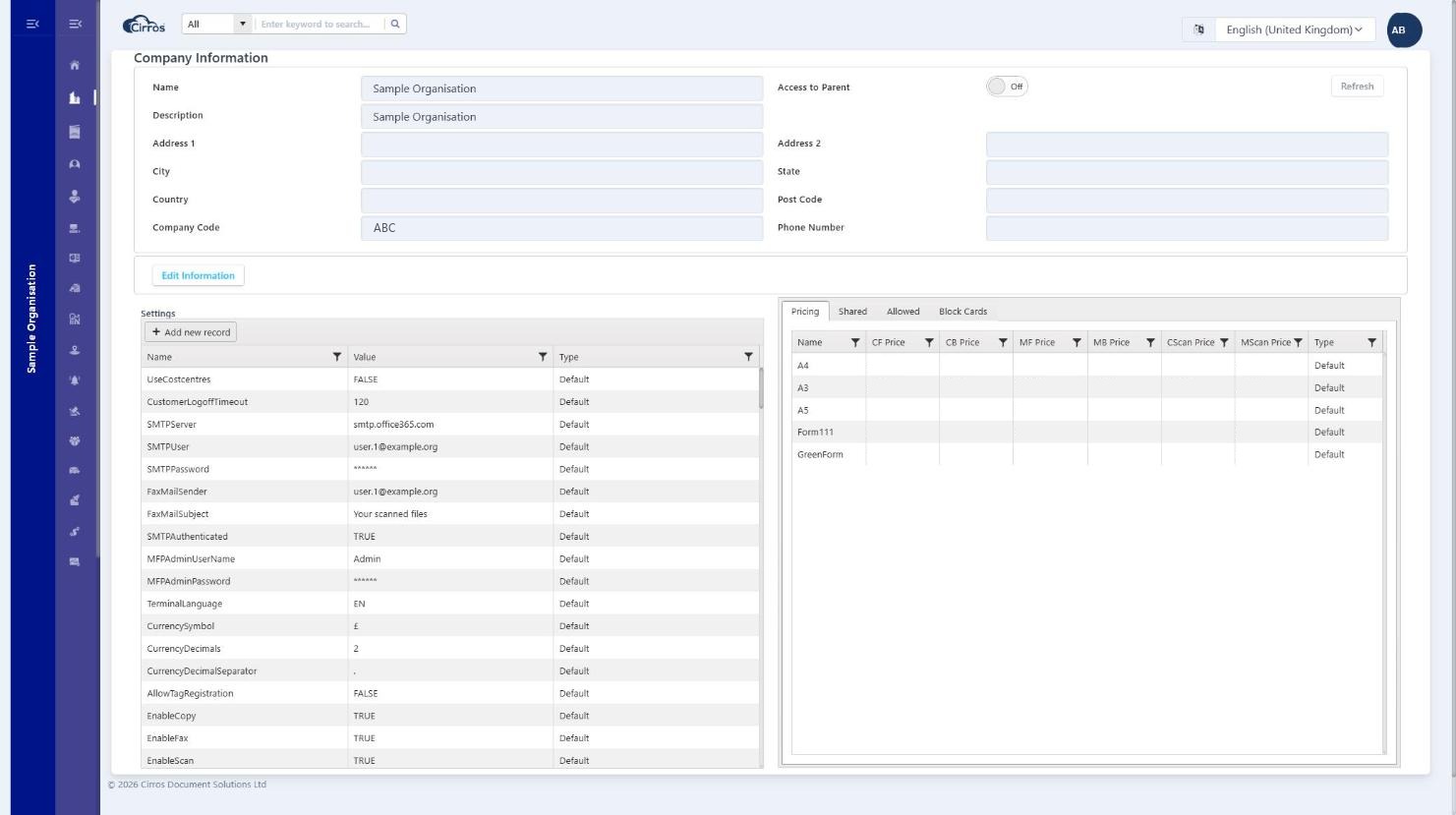
Typical details shown include the company name and reference, time zone, default language, and print options such as pull-print (secure release).
Pricing & the company tabs
The panel on the right of the Company page has four tabs:
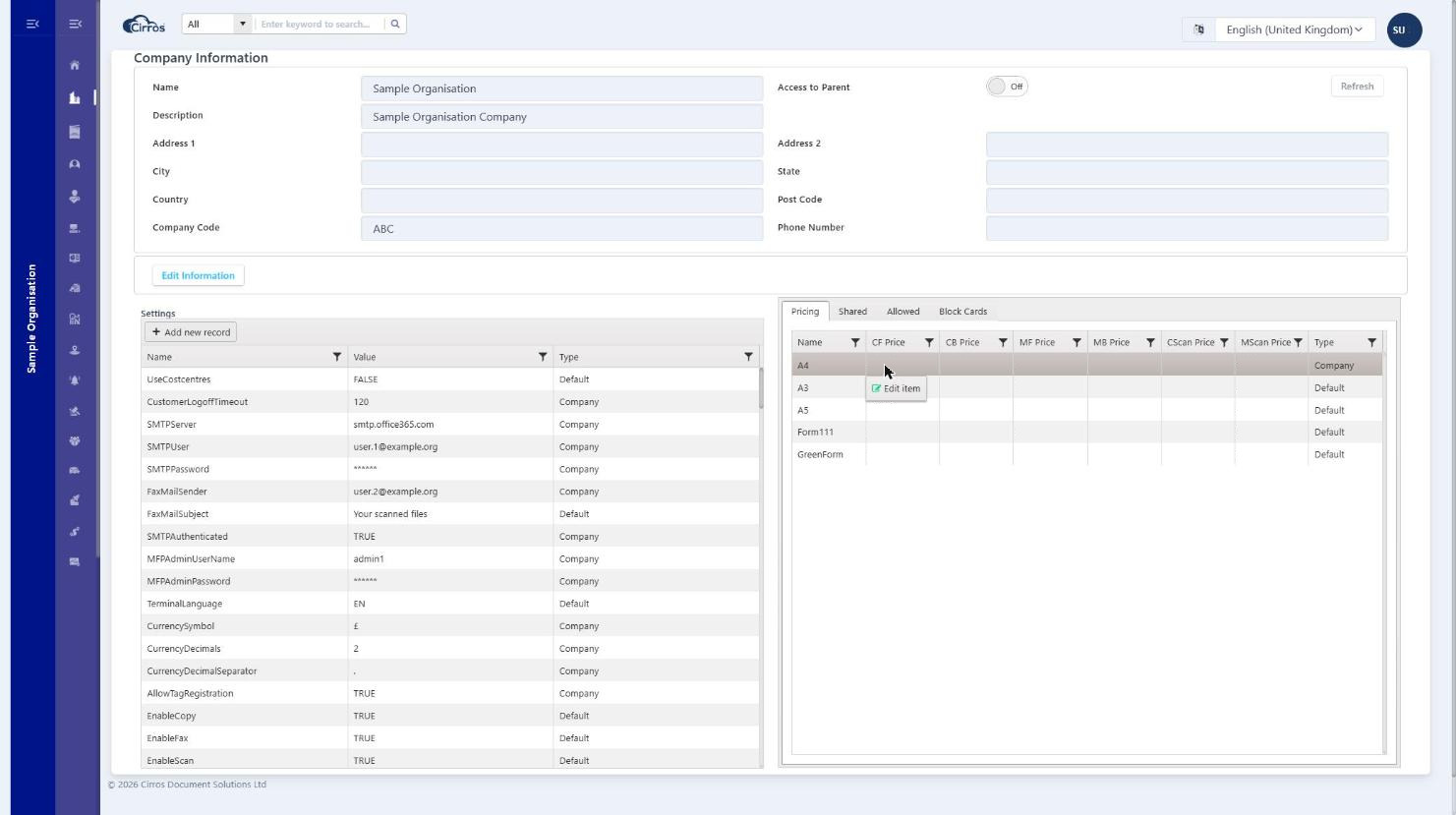
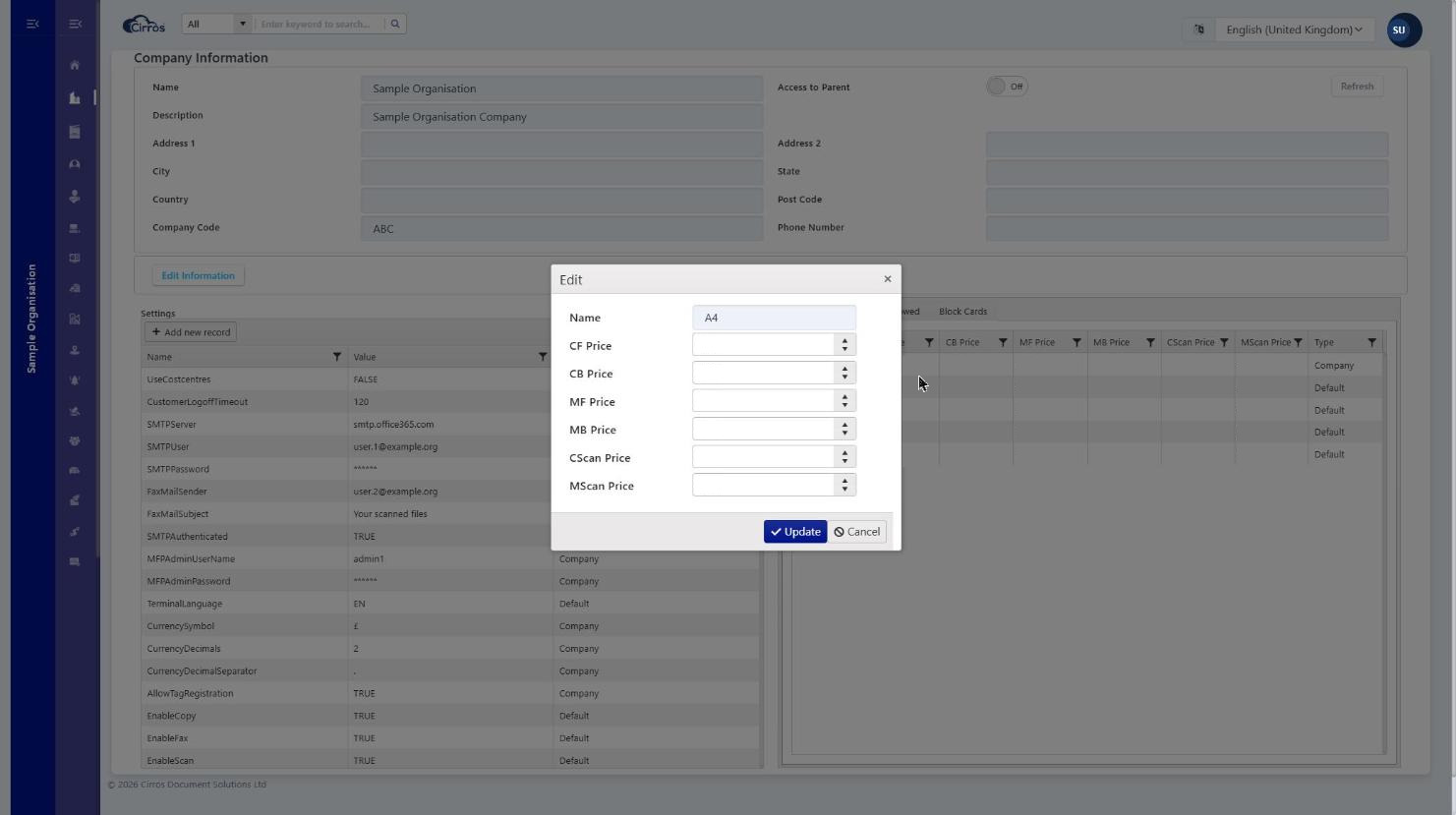
- Pricing — the per-page prices, by page size / media (A4, A3, A5 and any custom forms). To change a price, right-click a row (or double-click) and choose Edit item, then set the colour prices (CF, CB), mono prices (MF, MB) and scan prices (CScan, MScan), and click Update. The Type column shows whether a price is company-specific or the default.
- Shared and Allowed — cross-company access (columns Company, Enabled, Management Access): the companies this company shares with, and those allowed to manage or access it — used in partner and roaming setups.
- Block Cards — cards / credentials (User Name, Authentication) that are blocked for this company.
Note. Editing company settings requires the appropriate role, such as Company Admin.